LogChipper: a simple log aggregator
LogChipper is a simple log aggregator with a web UI, offered as a single self contained Docker image.
I’ve used 3rd party log aggregation services in the past and they’re great. One line config change and they work. But what if you could host one yourself (almost) just as easily, with far more resources and for much less? That doesn’t really exist, at least not that I’ve found. The options are either heavy applications, need a lot of wiring, or are several products bolted together into one multi-GB tool. All that to ingest ~200MB of logs a month.
So I built LogChipper: a self-hosted log collector and viewer written in Go. It stores your data in SQLite and ships as a single binary in a Docker image.
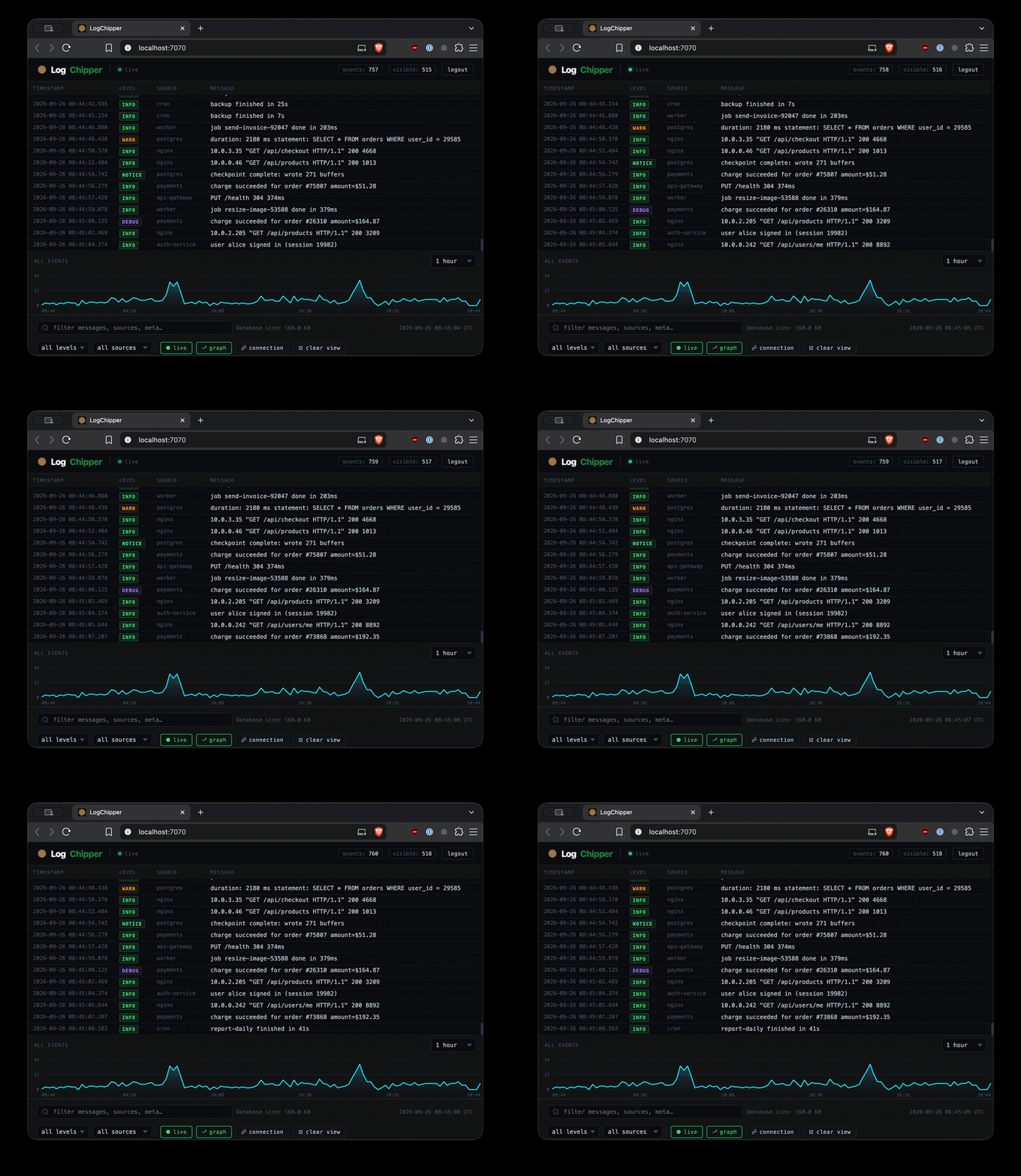
How it works
You send logs to it over syslog or HTTP, then search and live-tail them in the browser. That’s it really.
The web UI runs on port :7070 and syslog listens on the standard port :514 over UDP or TCP.
HTTP ingest takes JSON on /api/logs, or plain text on /api/logs/text with a couple of headers.
Levels are the standard debug, info, notice, warn and error.
How I use it
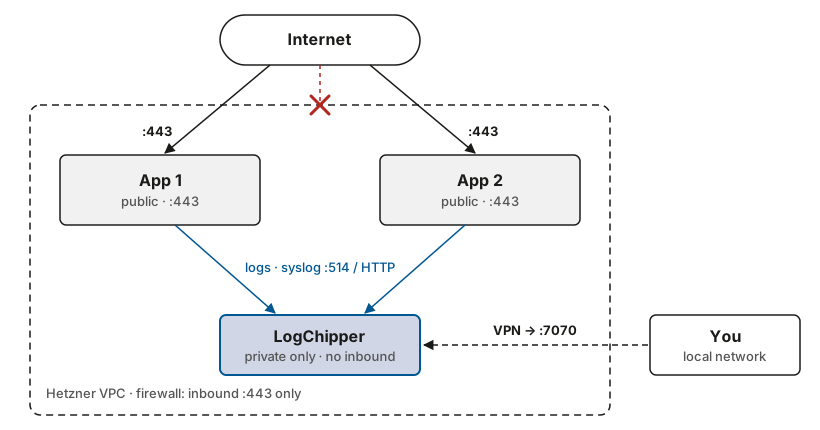
I have multiple instances all within a VPC and on Hetzner. They’re firewalled to only allow :443 inbound, and my logging instance is fully blocked from the internet.
The only way to connect to it is via a vpn, which exposes the application on my local network, thus I’m able to run LogChipper entirely in network mode, rather than exposing it to the internet.
Why I built it
I keep hitting the same wall. When I want to see what a container or a host is doing, I look for a logging tool and get handed something that needs Elasticsearch, a message broker and a whole bunch of other stuff.
The simple case, where I just want a single box that catches logs and lets me read them is the hardest to find because the popular tools are all built for the big cases. Most projects will never get that big or need more than one server. You can also scale up a box…
That’s why LogChipper uses SQLite. Everything lives in one file on disk, so there’s no database service to run, back up or monitor. The Docker image is built for amd64 and arm64, so you can run it anywhere (e.g. Hetzner ARM instances).
Getting it running
Clone the repo and run the docker-compose.yml, then open http://localhost:7070. With auth enabled (the default), the first visit asks you to create an account. If you have it set to network, you may need to set up a vpn to access it via the local network, as opposed to via the open web.
The image is published at ghcr.io/patricksocha/logchipper, so you can easily pull that down.
The point
There is a lot of logging tooling designed to look impressive. LogChipper is designed to get out of the way. Point your machines at it within a vpc and read the logs. That’s it.
More info: https://github.com/PatrickSocha/logchipper